Question
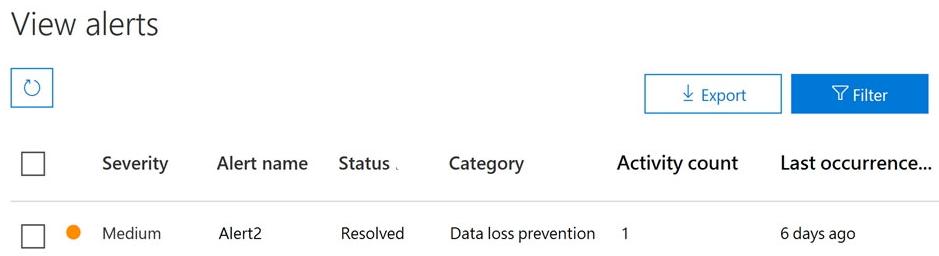
You have a Microsoft 365 alert named Alert2 as shown in the following exhibit.
You need to manage the status of Alert2.
To which status can you change Alert2?
- A. The status cannot be changed.
- B. Dismissed only
- C. Investigating only
- D. Active or Investigating only
- E. Investigating, Active, or Dismissed Correct
Explanation
Alert2 is currently Resolved. On the View alerts page, an alert's status can be set to Active, Investigating, Resolved or Dismissed at any time, and resolving an alert does not lock it. So a resolved alert can be moved back to Active or Investigating, or set to Dismissed. The options that limit the change to one or two statuses, or say it cannot be changed, are wrong.
